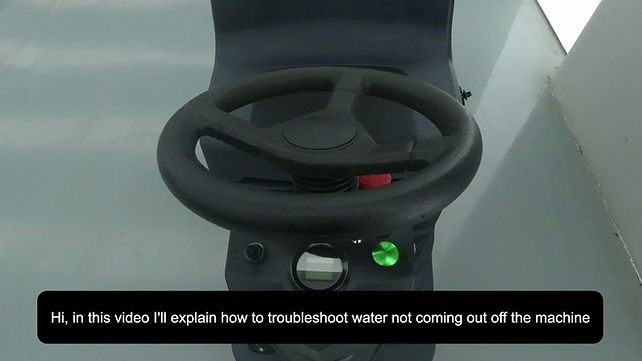
Step 1: Check the Water Supply
Make sure there is enough clean water in the fresh water tank.
Step 2: Check the Water Valve
Make sure the water valve is open and the valve handle is parallel with the water line.
Step 3: Check the Water Filter
Check the water filter for dirt or debris that may be blocking the water flow.
Step 4: Check the Fresh Water Hose
Make sure the fresh water hose is not kinked, clogged, or disconnected.
QUICK CHECKS
Start With These Quick Checks Before replacing any parts, check these common causes first.
STEP-BY-STEP TROUBLESHOOTING
Complete each step before moving to the next one
Before checking the water system, make sure the brush is operating normally. The water system should be tested while the brush is running. If the brush is not operating, troubleshoot the brush system first before continuing with the water flow checks below.
Check the water valve and make sure it is in the open position. The valve is open when the valve handle is parallel with the water line/pipe. If the valve is closed, turn it to the open position, start the brush, and check whether water begins flowing to the brush.
Locate the water filter in front of the water valve and check whether it is clogged with dirt or debris. If it is clogged, remove the filter housing, clean the filter screen inside, reinstall it correctly, and test the water flow again.
Inspect the fresh water hose for any blockage that may prevent water from reaching the brush. If the hose is clogged, clear the blockage and make sure water can flow through the hose normally, then reconnect it and test the machine again.
Locate the solenoid valve and check the two power wires connected to it. Make sure the connectors have not come loose and inspect the wiring for visible damage. If a connection is loose, reconnect it securely; if the wiring is damaged, replace the damaged wiring harness.
If the wiring is secure, confirm that water is reaching the inlet side of the solenoid valve. Then disconnect the fresh water hose from the outlet side of the valve, turn on the brush, and check whether water comes out of the valve. If water reaches the inlet normally but no water comes out of the outlet while the brush is operating, the solenoid valve is faulty and needs to be replaced.

Floor Scrubber Not Dispensing Water?
Frequently asked questions


Find More Answers in Our Support Center
Our Support Center includes helpful resources for many common floor scrubber questions, including:
-
Frequently asked questions
-
Operation and maintenance videos
-
Troubleshooting information
-
User manuals
-
Parts and accessories
-
Battery and charging guidance
-
Brush and pad questions
-
Warning lights and error messages
CONTACT SUPPORT
Still Having Trouble?
If your floor scrubber still isn’t dispensing water after completing these checks, our support team can help you determine the next step.
When contacting us, please have your machine model and serial number available. Photos or a short video of the problem may also help us diagnose the issue faster.
Contact us for technical support.
Call: 626-900-0778
Email: floorscrubberusa@gmail.com
