Floor Scrubber Not Charging?
If your floor scrubber is not charging, won’t fully charge, or the charger does not appear to be working, start with a few simple checks before assuming the battery or charger needs replacement.
Charging problems can be caused by the power source, charger connection, battery connection, charging procedure, or the battery itself.
Start with the quick checks below.

Step 1: Check the Battery Connection
Make sure the battery power connector is securely connected and the wiring is not damaged.
Step 2: Check the Battery Voltage
Use a multimeter to check the voltage of each battery individually and the entire battery pack to make sure the batteries are not deeply discharged.
Step 3: Check the Fuse & Charging Port
Check that the fuse is not burned or broken and the charging port is not damaged or loose.
Step 4: Check the Charger
Connect the charger and check whether the indicator light and cooling fan are working normally.
QUICK CHECKS
Start With These Quick Checks Before replacing any parts, check these common causes first.
STEP-BY-STEP TROUBLESHOOTING
Complete each step before moving to the next one
Before troubleshooting, turn off the machine and empty the dirty water from the recovery tank. Tilt the recovery tank backward to access the batteries, wiring, and charging components. You will need a multimeter and a flat-head screwdriver for the following checks.
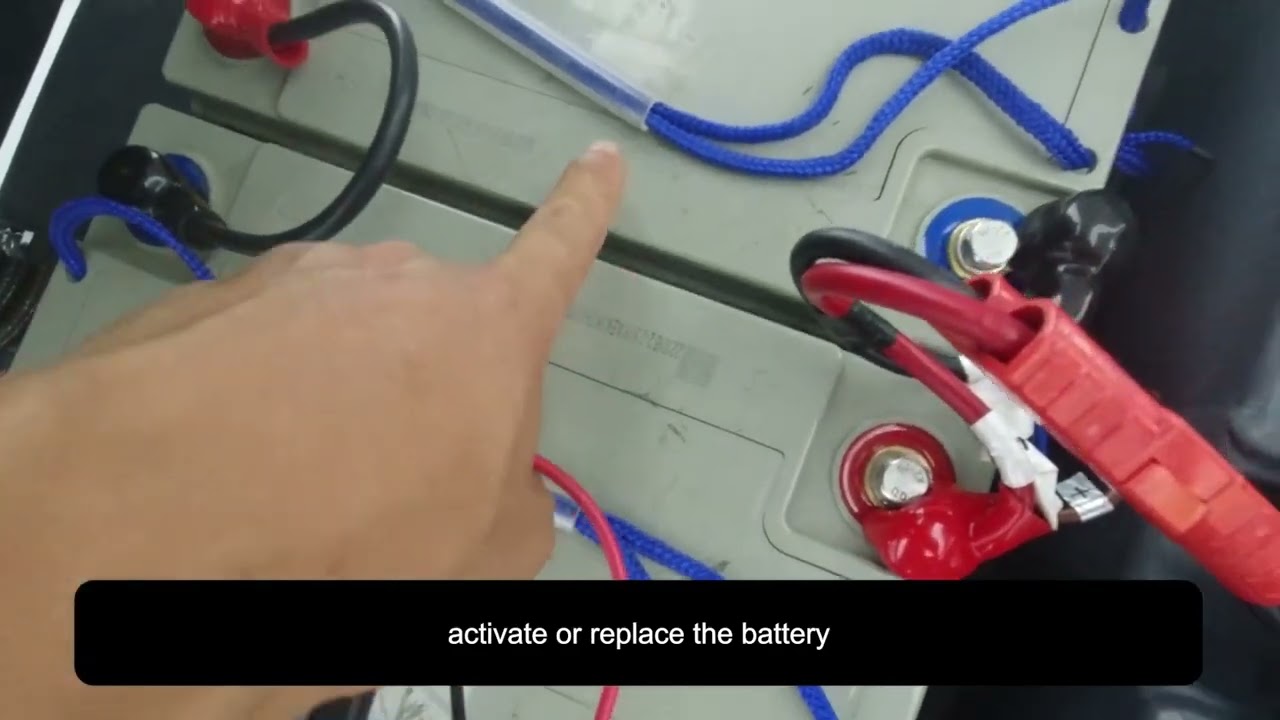
Inspect the red battery power connector and wiring harness under the recovery tank. Make sure the connector is fully connected and check the wiring for any visible damage. If the connector has come loose, reconnect it securely. If the connector or wiring is damaged, replace the damaged harness.
Set the multimeter to DC voltage. First, measure each battery individually and record the voltage of each one. Then measure the total voltage of the entire battery pack. Compare the individual readings to identify any battery with an unusually low voltage. If one battery reads significantly lower than the others, that battery may be deeply discharged or faulty. If the total battery pack voltage is too low, the charger may not be able to start charging normally.
Use a flat-head screwdriver to remove the four screws securing the fixing plate. Inspect the wiring and connectors underneath the plate. If any connector has come loose, reconnect it securely. If the wiring or connector is damaged, replace the damaged harness.
Inspect the fuse for signs of damage. If the fuse appears blackened, burned, or broken, replace it with the correct replacement fuse. After replacement, reconnect the system and check whether the machine can charge normally.
Check the charging port for visible damage, looseness, or a poor connection that could prevent the charger from making proper contact. If the charging port is damaged, replace it before testing the charger again.
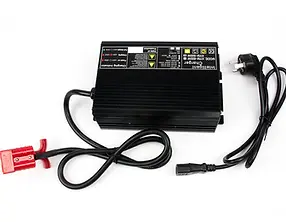
Connect the charging cable and observe the charger indicator light and cooling fan. If the indicator light does not operate or the charger fan does not run when the charger should be working, the charger may be faulty and should be replaced.
Troubleshooting Videos for Other Models——Not Charging
Select your machine model below to open the corresponding troubleshooting video. Troubleshooting procedures and component locations may vary by model.
Floor Scrubber Not Charging?
Frequently asked questions


Find More Answers in Our Support Center
Our Support Center includes helpful resources for many common floor scrubber questions, including:
-
Frequently asked questions
-
Operation and maintenance videos
-
Troubleshooting information
-
User manuals
-
Parts and accessories
-
Battery and charging guidance
-
Brush and pad questions
-
Warning lights and error messages
CONTACT SUPPORT
Still Having Trouble?
If your floor scrubber still isn’t charging after completing these checks, our support team can help you determine the next step.
When contacting us, please follow the steps below and do some tests for us:
1. Check if the plug terminal has electricity.
2. Plug the charger in a socket and the machine, and check if you can hear a fan sound.
3. Check if you can see any light showing on the charger? Green? Red? Flashing?
4. Use a multi-meter to check the voltage of each battery as well as the voltage of the whole set of batteries, and let us know the numbers showing on the multi-meter.
Please also take a short video of these tests for us to have a look.
Contact us for technical support.
Call: 626-900-0778
Email: floorscrubberusa@gmail.com
