
Floor Sweeper Brush Not Spinning
If your floor sweeper turns on but the main brush or side brush is not spinning, don’t assume the brush motor has failed.
The problem may be caused by debris wrapped around the brush, incorrect operating controls, improper brush installation, a drive component, loose connection, or another simple issue.

1. Check for a Jammed Brush
Make sure no string, wire, plastic wrap, hair, or other debris is wrapped around the main brush, side brushes, or brush shafts.
2. Check the Main Brush Belt
If the main brush is not spinning, check whether the main brush belt has come off, broken, or become damaged.
3. Check the Overheat Protection & Fuse
Make sure the motor overheat protection connector is securely connected and check that the corresponding main brush or side brush fuse is not blown.
4. Check the Motor Connection
Make sure the affected brush motor connector is securely connected; if everything looks normal but the brush still does not spin, continue with the steps below to test the motor power supply.
QUICK CHECKS
Before starting detailed troubleshooting, check these common causes of brush not spinning first.
STEP-BY-STEP TROUBLESHOOTING
Complete each step before moving to the next one
Turn off the machine and check the main brush and side brushes for string, wire, plastic wrap, hair, or other debris wrapped around the brush or shaft. Remove anything that may prevent the brush from turning, then turn the machine back on and press the sweeping button to test the brushes again. If the brush operates normally after the obstruction is removed, no further troubleshooting is needed.
If the main brush does not spin, open the right-side access panel and inspect the main brush belt. Check whether the belt has come off, broken, or become damaged. If the belt has simply come off, reinstall it correctly. If the belt is broken or damaged, replace the main brush belt. If the belt is installed correctly and turns normally when the sweeping button is activated, but the main brush itself does not spin, continue to the next step.
If the main brush belt turns but the main brush itself does not spin, the main brush drive plate/cover may be damaged and unable to transfer power to the brush correctly. In this case, replace the main brush drive plate/cover.
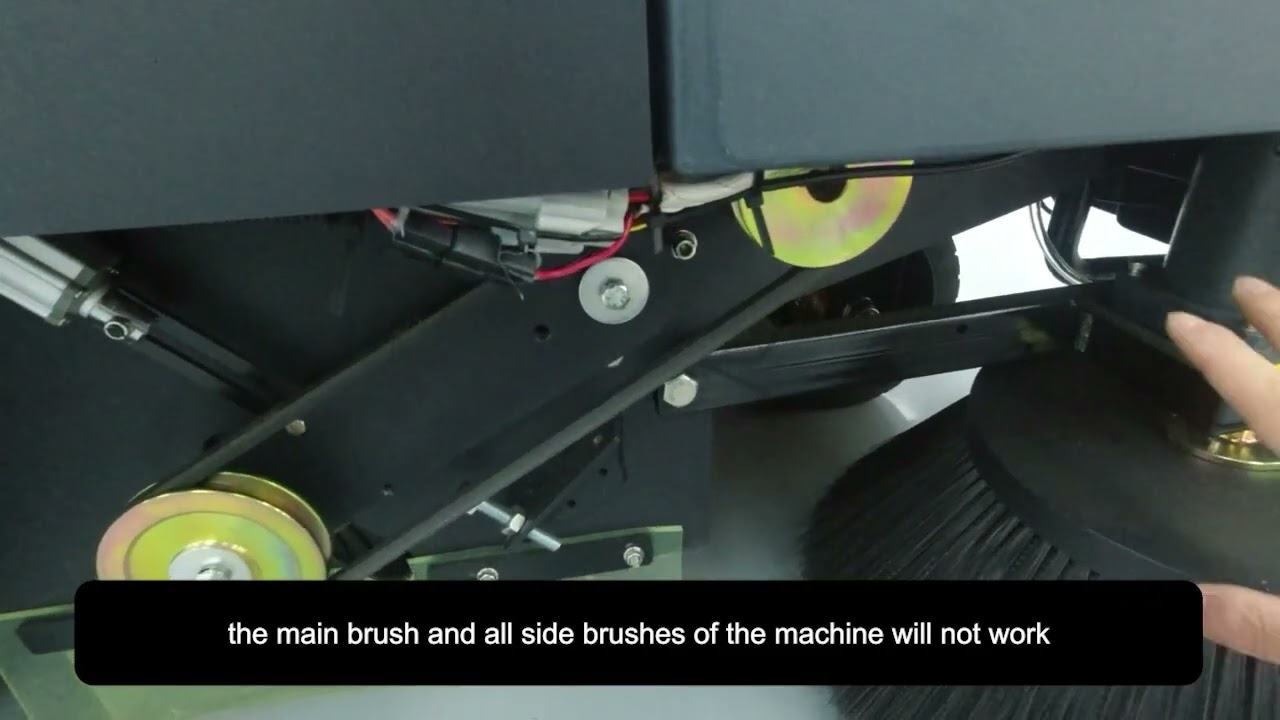
Open the right-side access panel and check the motor overheat protection connector. If the connector has come loose or disconnected, reconnect it securely. If the motor becomes too hot, the overheat protection can cause the main brush and all side brushes to stop operating. Allow the motor to cool down, then turn the machine back on and press the sweeping button to test the brushes again.
Locate the fuse box and remove the transparent cover. Find the fuse corresponding to the main brush or affected side brush, remove it, and check whether it is blackened, burned, or broken inside. You can also use a multimeter to check continuity across the two fuse terminals. If there is continuity, the fuse is good; if there is no continuity, the fuse is blown. If the fuse is damaged or has no continuity, replace it with the same type and rating.
Locate the motor connector for the brush that is not spinning. If the main brush is not working, check the main brush motor connector; if one side brush is not working, check the connector for that side brush motor. Make sure the connector has not come loose or disconnected and check the wiring for visible damage. If the connector is loose or disconnected, reconnect it securely, then turn on the machine and press the sweeping button to test the brush again.
If the motor connector is secure but the brush still does not spin, unplug the affected brush motor connector and set the multimeter to DC 200V. Turn on the key switch and press the sweeping button, then measure the voltage at the input side of the motor connector. If voltage is present but the brush motor does not run, the brush motor is damaged and needs to be replaced. If there is no voltage at the connector, check the corresponding fuse and its connections again.
Floor Scrubber Not Picking Up Water?
Frequently asked questions


Find More Answers in Our Support Center
Our Support Center includes helpful resources for many common floor scrubber questions, including:
-
Frequently asked questions
-
Operation and maintenance videos
-
Troubleshooting information
-
User manuals
-
Parts and accessories
-
Battery and charging guidance
-
Brush and pad questions
CONTACT SUPPORT
Still Having Trouble?
If you have completed the troubleshooting steps above and the issue is still not resolved, please contact our support team.
To help us identify the problem, please provide:
-
Your machine model
-
Your order number, if available
-
A brief description of the problem
-
A clear video showing the issue while the machine is operating
-
Close-up photos or videos of the affected area or any abnormal condition
When recording the video, please clearly show the problem you are experiencing and any relevant details that may help us identify the cause.
Our technical support team can provide further troubleshooting assistance and remote guidance based on the information provided.
Contact us for technical support.
Call: 626-900-0778
Email: floorscrubberusa@gmail.com
