

Step 1: Start the Machine Correctly
Turn on the key switch without pressing the accelerator pedal, wait for the controller indicator light to stay on, then gently press the pedal.
Step 2: Check the Fuse & Connections
Make sure the fuse is not blown and the controller wiring and connectors are securely connected and undamaged.
Step 3: Check the Controller Power
Make sure the controller is receiving normal input voltage at the B+ and B- terminals.
Step 4: Check the Accelerator Pedal
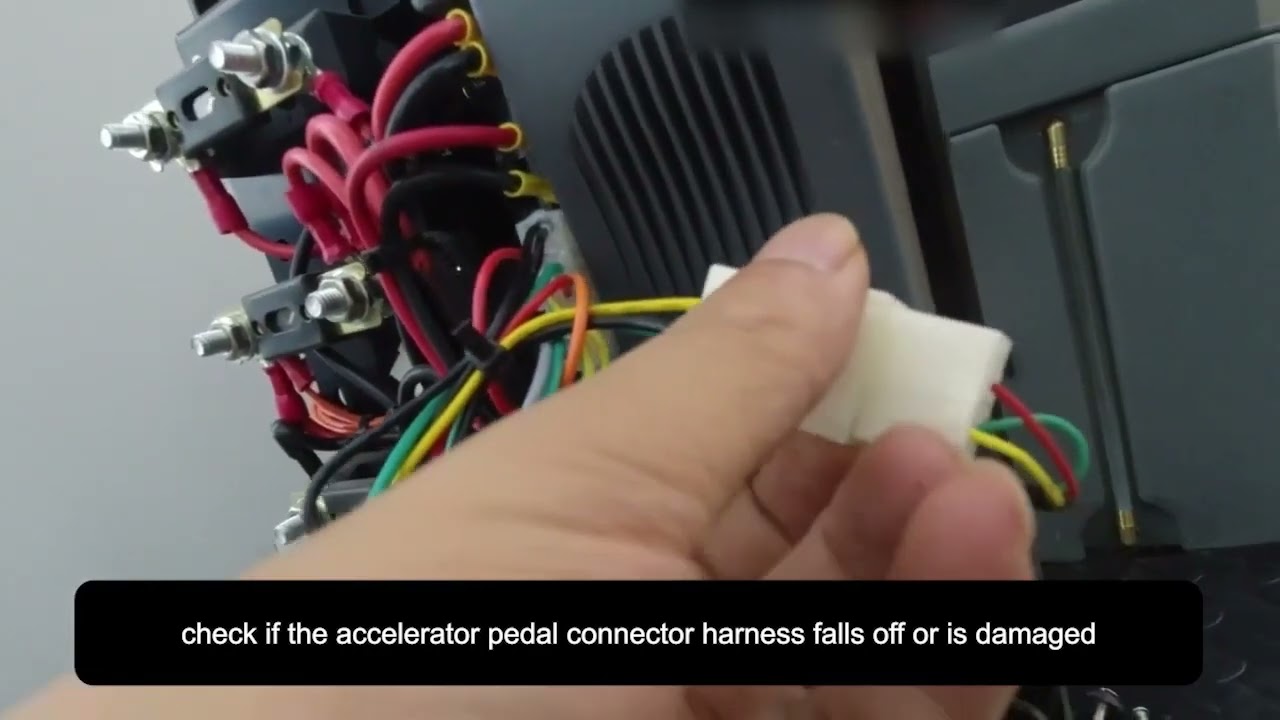
Make sure the accelerator pedal connector is secure and the pedal responds normally when pressed.
QUICK CHECKS— BTCR30 Example
Start With These Quick Checks Before replacing any parts, check these common causes first.
STEP-BY-STEP TROUBLESHOOTING— BTCR30 Example
Complete each step before moving to the next one
Turn on the key switch without pressing the accelerator pedal. Wait until the controller indicator light remains steadily on, then gently press the accelerator pedal and check whether the machine moves. Pressing the accelerator while turning on the key switch may prevent the drive system from operating normally.
Remove the steering wheel center cover, use a 24 mm socket wrench to remove the steering wheel retaining nut, and lift off the steering wheel. Then use a 4 mm Allen wrench to remove the screws on both sides of the front cover and remove the cover. Set the multimeter to DC voltage and measure the voltage at the terminal below the key switch. If there is no voltage at the terminal, the key switch is faulty and should be replaced.
Inspect the white multi-pin connector on the controller and make sure it is securely connected and not damaged. Then inspect the wiring connected to the controller terminals B+, B-, M1, and M2. If any connector or wire has come loose, reconnect it securely. If the wiring or connector is damaged, replace the damaged harness.
The B+ and B- terminals are the power input terminals of the controller. Set the multimeter to DC voltage and measure the voltage between B+ and B-. If there is no voltage, inspect the upper fuse for blackening, burning, or a broken element. If the fuse is damaged, replace it and test the machine again.
If the voltage between B+ and B- is normal, measure the voltage between M1 and M2 while gently pressing the accelerator pedal. If M1 and M2 show approximately the same voltage as the battery pack, but the machine still does not move, the drive axle is faulty and should be replaced. If there is no voltage between M1 and M2, continue to the accelerator pedal checks below.
Inspect the accelerator pedal connector and wiring harness. Make sure the connector has not come loose and check the wiring for visible damage. If the connector is loose, reconnect it securely. If the wiring or connector is damaged, replace the damaged harness.
Set the multimeter to DC voltage and first measure between the red and yellow terminals of the accelerator pedal connector. The normal reading should be approximately 5V DC. If there is no voltage and the controller's white connector and related wiring are in good condition, the controller is faulty and should be replaced. If the red-to-yellow voltage is normal, measure between the yellow and green terminals. With the pedal released, there should normally be no voltage. Press the accelerator pedal while monitoring the multimeter and check whether the voltage changes. If there is no voltage change when the pedal is pressed, the accelerator pedal is faulty and should be replaced.
If the accelerator pedal, connectors, and wiring all test normally, but there is still no output voltage between M1 and M2 when the accelerator is pressed, the controller is faulty and should be replaced.
Troubleshooting Videos for Other Models——Machine won't move
Select your machine model below to open the corresponding troubleshooting video. Troubleshooting procedures and component locations may vary by model.
Floor Scrubber Not Charging?
Frequently asked questions


Find More Answers in Our Support Center
Our Support Center includes helpful resources for many common floor scrubber questions, including:
-
Frequently asked questions
-
Operation and maintenance videos
-
Troubleshooting information
-
User manuals
-
Parts and accessories
-
Battery and charging guidance
-
Brush and pad questions
-
Warning lights and error messages
CONTACT SUPPORT
Still Having Trouble?
If your floor scrubber still won’t move after completing these checks, our technical support team can help you determine the next step.
When contacting us, please have your machine model and serial number available.
If possible, send a short video showing the control panel and what happens when you try to move the machine forward and backward. This may help us diagnose the problem faster.
Contact us for technical support.
Call: 626-900-0778
Email: floorscrubberusa@gmail.com
